iPhone Wallpaper Sizes Dimensions: Modern Wallpaper Sizes (2026)
iPhone Wallpaper Sizes Dimensions means the exact pixel size needed for a wallpaper to fit an iPhone screen. Each iPhone model has a different screen resolution. The wallpaper should match this size to look clear. Correct dimensions keep the image sharp. This helps the wallpaper fit perfectly on the phone display.
Many people set a wallpaper and then see blur or strange cropping. This problem often happens because the wallpaper size is wrong. Modern iPhones use very high-resolution screens. These screens need the right wallpaper dimensions. When the size matches the screen, the wallpaper looks clean and beautiful.
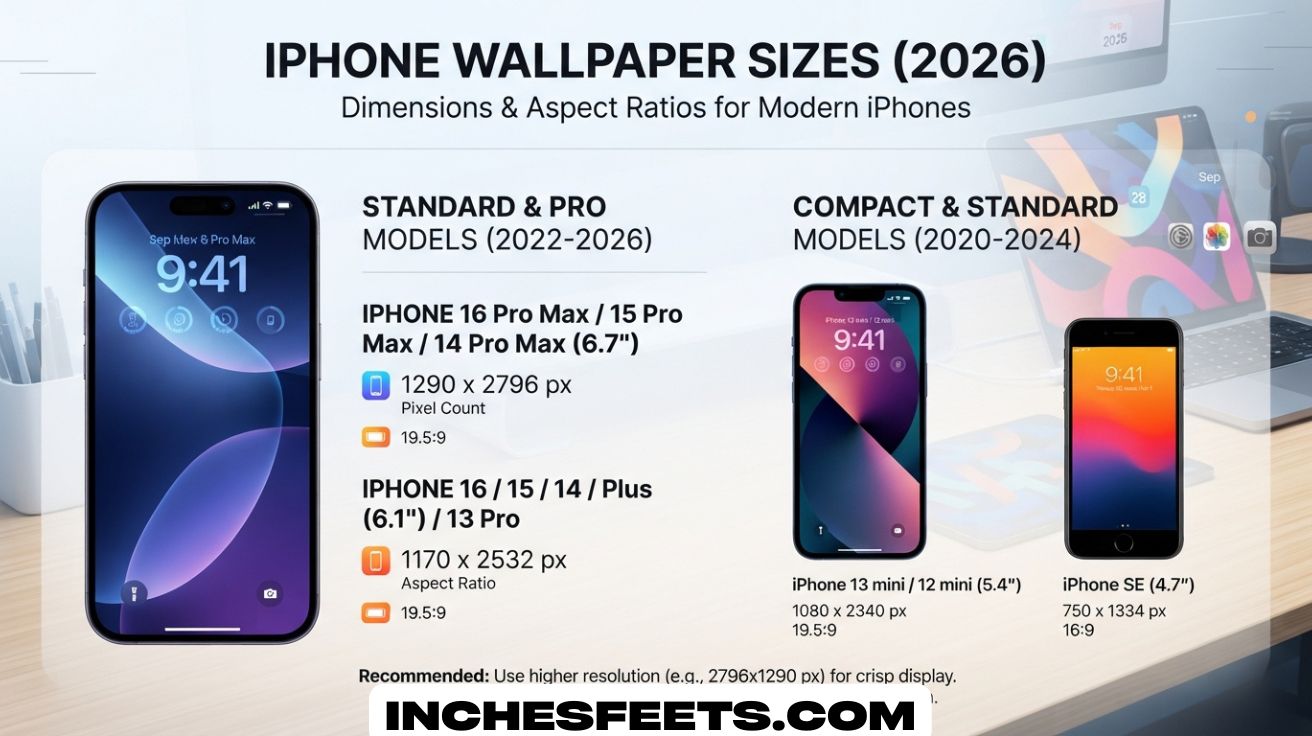
iPhone Wallpaper Sizes Dimensions depend on the screen resolution and aspect ratio of each model. Newer iPhones use a tall display with a 19.5:9 ratio. The wallpaper must follow this shape to fit the screen well. High-resolution images work best for modern displays. Using the correct dimensions keeps the lock screen and home screen sharp.
What Are iPhone Wallpaper Dimensions?
The term iPhone wallpaper dimensions refers to the exact pixel resolution needed for a wallpaper image to fit perfectly on an iPhone screen. These dimensions are based on the phone’s iPhone display resolution, which determines how many pixels appear on the screen.
When the wallpaper image matches the display resolution, every pixel fits correctly and the picture looks sharp. If the wallpaper is smaller than the screen resolution, the system stretches the image and it becomes blurry. When the image is much larger, the phone may crop the image.
Modern iPhones use high-density screens with extremely small pixels. This is why Apple devices have such clear displays. These screens require images with a high retina display wallpaper resolution so the wallpaper looks crisp instead of grainy.
Understanding iPhone Screen Resolution
Each iPhone has a specific Apple iPhone screen size pixels measurement that determines the best wallpaper dimensions. The resolution is the number of pixels displayed horizontally and vertically.
For example, the iPhone 15 Pro uses a resolution of 1179 × 2556 pixels. If your wallpaper matches this resolution, it will appear perfectly clear on the screen.
The table below explains how screen resolution relates to wallpaper clarity.
| Display Type | Example Resolution | Result |
| Smaller than screen | 800 × 1600 | Blurry wallpaper |
| Exact match | 1179 × 2556 | Perfect clarity |
| Larger than screen | 2000 × 4000 | Sharp but slightly cropped |
This is why using a high resolution iPhone wallpaper is recommended for modern devices.
Why Correct Wallpaper Size Matters
Using the correct wallpaper size for iPhone prevents visual problems such as distortion and blur. A perfectly sized wallpaper will fit the screen without stretching.
Another reason the correct size matters is that iPhones use separate backgrounds for the home screen and lock screen. The iPhone lock screen wallpaper size and the iPhone home screen wallpaper size should match the screen resolution so both backgrounds appear sharp.
Many design experts recommend using images slightly larger than the resolution. This gives the system room to crop while maintaining quality.
Wallpaper Aspect Ratio on Modern iPhones
Aspect ratio describes the relationship between the width and height of the screen. Most modern iPhones use the iPhone wallpaper aspect ratio 19.5:9. This tall design allows more vertical screen space.
Older phones used a 16:9 display ratio, but newer models are taller. Because of this change, wallpapers designed for old smartphones may not fit properly on new iPhones.
Understanding the iPhone wallpaper aspect ratio helps when designing custom wallpapers or cropping photos to fit the display.
Parallax Effect and Wallpaper Scaling
Apple adds a subtle motion effect to wallpapers called parallax. When you tilt the phone, the wallpaper shifts slightly to create a sense of depth.
Because of this effect, iOS sometimes uses a slightly larger image area than the visible screen. This means the retina display wallpaper size may be slightly bigger than the visible screen resolution. Using a larger wallpaper prevents black borders or cropping.
iPhone Wallpaper Dimensions
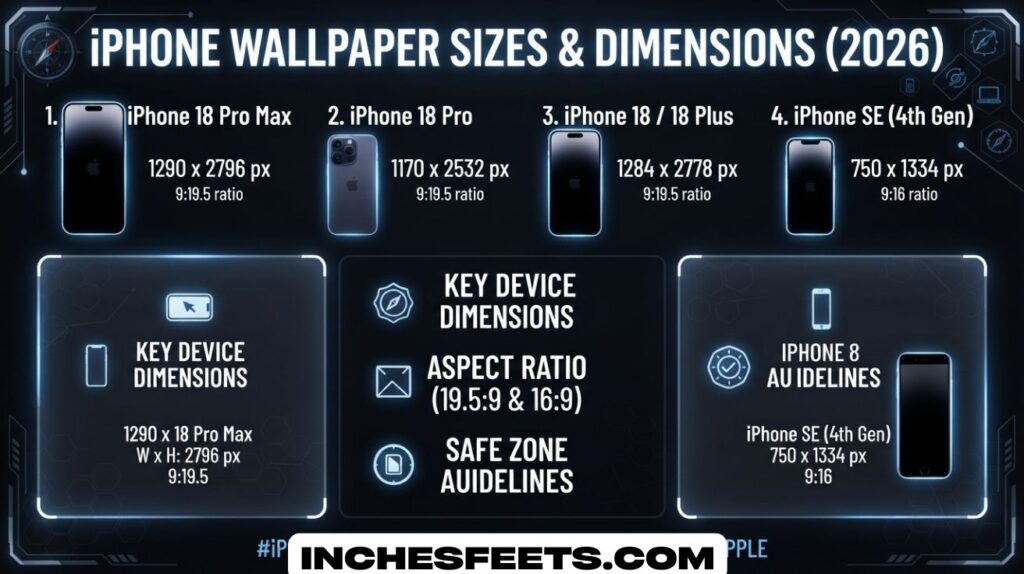
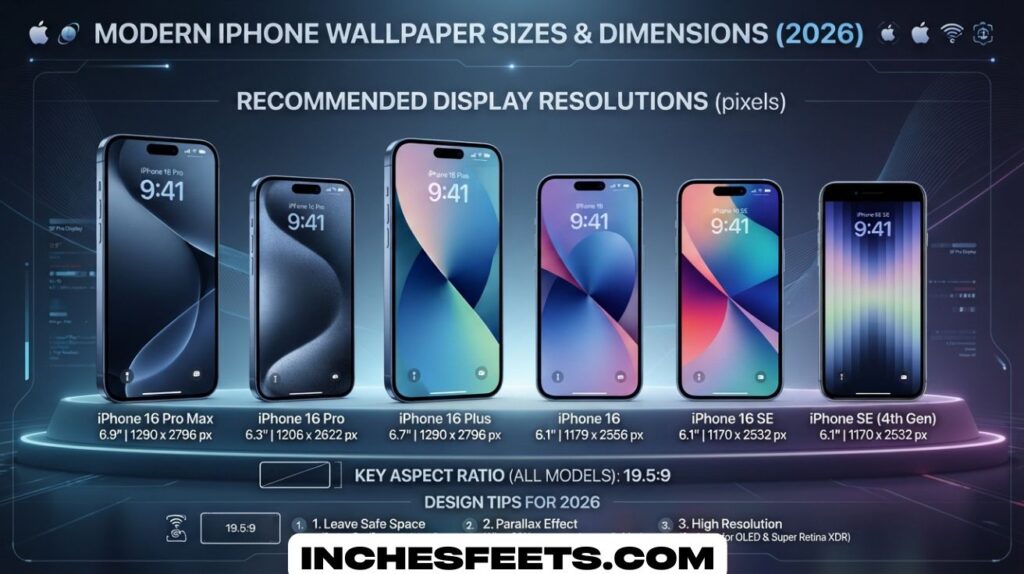
Different iPhone models have different resolutions, which means the iPhone wallpaper pixel size also changes. Below is a simplified smartphone wallpaper size chart showing the correct wallpaper sizes for modern iPhones.
iPhone 16 Series Wallpaper Sizes
The newest iPhone models feature larger screens and higher resolution displays. The wallpaper size for iPhone 16 models is designed to support extremely sharp visuals.
| Model | Screen Size | Resolution | Aspect Ratio |
| iPhone 16 Pro Max | 6.9 inches | 1320 × 2868 | 19.6:9 |
| iPhone 16 Pro | 6.3 inches | 1206 × 2622 | 19.6:9 |
| iPhone 16 Plus | 6.7 inches | 1290 × 2796 | 19.5:9 |
| iPhone 16 | 6.1 inches | 1179 × 2556 | 19.5:9 |
These values represent the ideal vertical wallpaper size for iPhone devices.
iPhone 15 Series Wallpaper Dimensions
The iPhone 15 wallpaper dimensions are almost identical to the previous generation. These models still use a retina display wallpaper resolution above 450 pixels per inch.
| Model | Screen Size | Resolution |
| iPhone 15 Pro Max | 6.7 inches | 1290 × 2796 |
| iPhone 15 Pro | 6.1 inches | 1179 × 2556 |
| iPhone 15 Plus | 6.7 inches | 1290 × 2796 |
| iPhone 15 | 6.1 inches | 1179 × 2556 |
Using a HD wallpaper for iPhone with at least this resolution will ensure a sharp display.
iPhone 14 Series Wallpaper Sizes
The iPhone 14 wallpaper resolution varies slightly between models.
| Model | Screen Size | Resolution |
| iPhone 14 Pro Max | 6.7 inches | 1290 × 2796 |
| iPhone 14 Pro | 6.1 inches | 1179 × 2556 |
| iPhone 14 Plus | 6.7 inches | 1284 × 2778 |
| iPhone 14 | 6.1 inches | 1170 × 2532 |
iPhone 13 and 12 Series Wallpaper Resolution
The iPhone 13 wallpaper size is slightly smaller than newer models but still uses a tall display ratio.
| Model | Screen Size | Resolution |
| iPhone 13 Pro Max | 6.7 inches | 1284 × 2778 |
| iPhone 13 Pro | 6.1 inches | 1170 × 2532 |
| iPhone 13 mini | 5.4 inches | 1080 × 2340 |
| iPhone 12 Pro Max | 6.7 inches | 1284 × 2778 |
| iPhone 12 Pro | 6.1 inches | 1170 × 2532 |
| iPhone 12 mini | 5.4 inches | 1080 × 2340 |
Older iPhone Wallpaper Dimensions
Older devices still appear in many phone wallpaper resolution guide charts.
| Model | Screen Size | Resolution |
| iPhone 11 | 6.1 inches | 828 × 1792 |
| iPhone 11 Pro | 5.8 inches | 1125 × 2436 |
| iPhone 11 Pro Max | 6.5 inches | 1242 × 2688 |
| iPhone SE (3rd generation) | 4.7 inches | 750 × 1334 |
How to Find Your iPhone Wallpaper Dimensions?
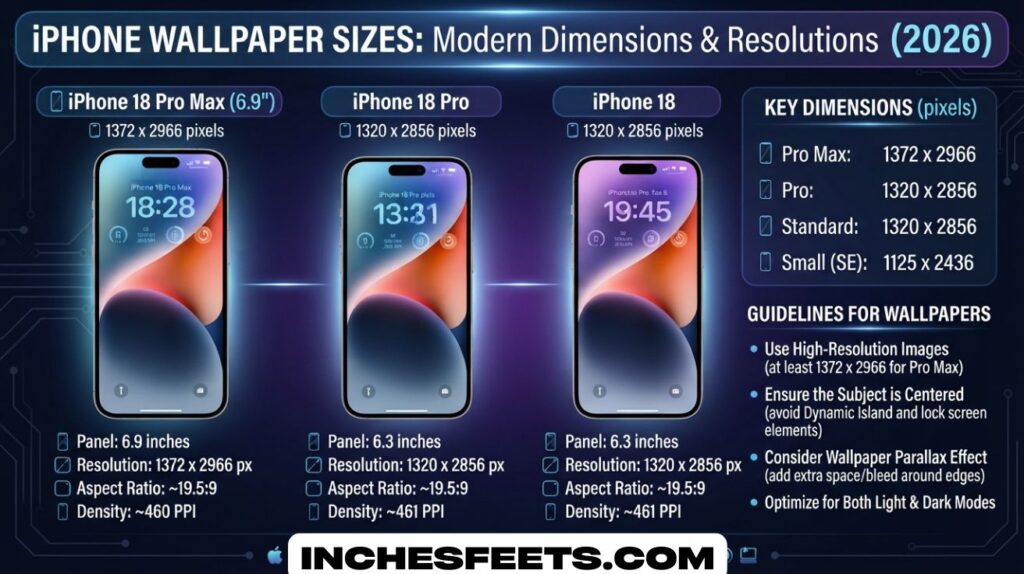
Many people do not know which iPhone model they have. Fortunately, there are several ways to find the exact lock screen wallpaper dimensions and screen resolution.
Method 1: Check Your Model Number
One of the easiest ways to find your wallpaper dimensions is by checking your device’s model number in the settings menu. Every iPhone has a specific model name that corresponds to a particular iPhone screen resolution.
To do this, open the Settings app, then go to General and tap About. The model name will appear at the top of the screen. Once you know the model, you can match it with a smartphone wallpaper size chart or a reliable mobile wallpaper resolution guide.
For example, if your phone is the iPhone 15, the iPhone 15 wallpaper dimensions are 1179 × 2556 pixels. If your phone is the iPhone 14, the iPhone 14 wallpaper resolution is 1170 × 2532 pixels.
Below is a quick reference table showing how the model determines the iPhone wallpaper size.
| iPhone Model | Screen Resolution | Ideal Wallpaper Size |
| iPhone 16 | 1179 × 2556 | 1179 × 2556 |
| iPhone 15 | 1179 × 2556 | 1179 × 2556 |
| iPhone 14 | 1170 × 2532 | 1170 × 2532 |
| iPhone 13 | 1170 × 2532 | 1170 × 2532 |
Using this method is quick and reliable because it directly connects your device model with its retina display wallpaper resolution.
Method 2: The Screenshot Trick
Another simple technique for finding the iPhone wallpaper pixel size is the screenshot method. This method works even if you do not know your phone model.
Take a screenshot by pressing the side button and the volume up button at the same time. After the screenshot is saved, open it in the Photos app. Tap the information icon to view the image details.
The screenshot resolution will match your phone’s Apple iPhone screen size pixels. For example, if the screenshot shows 1179 × 2556, that is the exact wallpaper resolution for iPhone on your device.
Because screenshots match the screen resolution, this method provides a quick way to determine the iPhone lock screen wallpaper size and iPhone home screen wallpaper size without checking external charts.
Method 3: Use a Wallpaper Detection App
Several apps available on the App Store can automatically detect your screen resolution. These tools identify your device model and show the recommended retina display wallpaper size.
These apps also include built-in wallpaper libraries containing high resolution iPhone wallpaper, HD wallpaper for iPhone, and even 4K iPhone wallpapers that are designed to fit specific devices.
Many wallpaper apps act as a complete phone wallpaper resolution guide, helping users find the ideal images for their screens. Designers and photographers often rely on these tools to ensure that their wallpapers match the best wallpaper dimensions for smartphones.
See Also : 1 Gram – 22 Common Things That Weigh 1g
Method 4: Check Apple’s Official Specs
Another reliable method is visiting Apple’s official specifications page for your device. Apple lists the exact iPhone display resolution in the display section of every product page.
Once you locate your device model, you will see the official iPhone screen resolution, which also represents the vertical wallpaper size for iPhone devices.
For instance, the iPhone 16 Pro uses a resolution of 1206 × 2622 pixels, while the iPhone 13 Pro uses 1170 × 2532 pixels. These numbers determine the lock screen wallpaper dimensions needed for a perfect fit.
Checking Apple’s official specifications is one of the most accurate ways to confirm the iPhone wallpaper aspect ratio 19.5:9 and the correct retina display wallpaper resolution for your device.
Method 5: Check Display Resolution in Apple Support Documents
Apple publishes detailed technical documents for every iPhone model. These pages include the exact screen specifications, including the iPhone display resolution, pixel density, and screen size.
To find this information, visit Apple’s support website and search for your iPhone model. In the “Display” section you will see the official Apple iPhone screen size pixels and pixel density.
Once you know the iPhone screen resolution, you automatically know the correct wallpaper size for iPhone. For example, the iPhone 16 Pro Max has a resolution of 1320 × 2868 pixels, which means the wallpaper resolution for iPhone should match these dimensions for the best clarity.
This method is useful because Apple’s specifications always provide the most reliable retina display wallpaper resolution.
Method 6: Use Online Wallpaper Size Calculators
Another helpful option is using an online calculator or phone wallpaper resolution guide. These tools allow you to select your phone model from a list and instantly show the ideal iPhone wallpaper pixel size.
Many tech websites maintain updated smartphone wallpaper size charts that include modern devices. Once you choose your device, the calculator will display the best wallpaper size for iPhone along with the iPhone wallpaper aspect ratio.
These tools are especially helpful for designers who create high resolution iPhone wallpaper for multiple devices.
Method 7: Measure the Aspect Ratio of Your Screen
If you cannot find the exact resolution, another approach is identifying the iPhone wallpaper aspect ratio. Most modern iPhones use the iPhone wallpaper aspect ratio 19.5:9, which means the screen is taller than older smartphone displays.
Knowing the aspect ratio allows you to crop images correctly even if the exact pixel numbers are unknown. For example, a wallpaper with the same ratio will fit the screen properly without stretching.
Designers often create wallpapers using this ratio because it works well for the vertical wallpaper size for iPhone used on modern displays.
Method 8: Check the Dimensions of Default iPhone Wallpapers
Every iPhone comes with built-in wallpapers created by Apple. These default backgrounds are already optimized for the device’s screen.
If you export or analyze one of these wallpapers, you can see the exact retina display wallpaper size used by the system.
For instance, wallpapers included on the iPhone 15 Pro are designed for its 1179 × 2556 resolution. These built-in images represent the best wallpaper dimensions for smartphones in Apple’s lineup.
See Also : 100 Grams – Things That Weigh 100g (Easy Guide to Visualize 100 Grams)
Method 9: Inspect Image Properties on Your Computer
Another practical technique involves transferring a screenshot from your iPhone to a computer. Once the file is on your computer, you can view the image properties to see its exact dimensions.
The numbers displayed in the image properties represent the phone’s iPhone screen resolution. This resolution equals the iPhone lock screen wallpaper size and iPhone home screen wallpaper size.
This method is useful for people who frequently edit images on a computer and want to design wallpapers with the correct iPhone wallpaper size.
Method 10: Use Graphic Design Software
Professional designers often use design tools to determine screen resolution. Programs like image editors allow you to create a new canvas with specific pixel dimensions.
By entering the Apple iPhone screen size pixels listed for your device, you can create perfectly sized wallpapers.
For example, if you are designing a wallpaper for the iPhone 14 Pro, you would create a canvas using its iPhone 14 wallpaper resolution of 1179 × 2556 pixels.
This ensures the wallpaper will appear sharp when used on the device.
Method 11: Compare with Existing Wallpaper Libraries
Many websites offer wallpaper collections categorized by device model. These sites already organize images according to the wallpaper size for iPhone 16, iPhone 15 wallpaper dimensions, and iPhone 13 wallpaper size.
Browsing these collections helps confirm the correct resolution while also providing ready-to-use HD wallpaper for iPhone or 4K iPhone wallpapers that fit the screen perfectly.
Such libraries often function as a visual mobile wallpaper resolution guide for different devices.
Method 12: Use Apple Developer Display Guidelines
Apple developers follow strict display guidelines when designing apps and graphics. These guidelines include detailed information about iPhone display resolution and screen scaling.
Developers use these numbers to ensure their graphics match the retina display wallpaper resolution and fit correctly on the screen.
If you check Apple’s developer documentation, you will see precise pixel measurements for each device. These values provide a reliable way to determine the best wallpaper dimensions for smartphones in the iPhone ecosystem.
Best Wallpaper Resolution for Modern iPhones
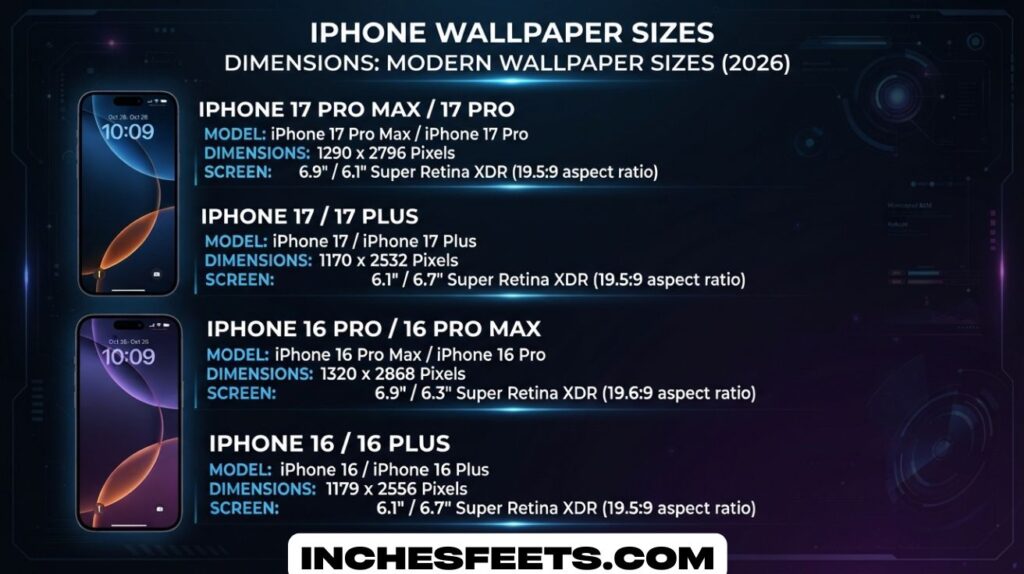
Modern iPhones have extremely detailed screens. Because of this, the retina display wallpaper resolution should match the phone’s display to avoid blurriness.
Design experts recommend wallpapers that are at least as large as the device resolution. Many photographers prefer using 4K iPhone wallpapers because they maintain quality even when zoomed or cropped.
Another important factor is orientation. Since smartphones are used vertically most of the time, the vertical wallpaper size for iPhone is ideal for lock screens and home screens.
How to Make a Picture Fit iPhone Wallpaper
Sometimes the image you want to use does not match the screen resolution. In that case, editing the image can help.
The simplest solution is to adjust the image inside the iPhone wallpaper settings. When selecting a photo, you can zoom or move it until it fits properly.
Another option is to resize the image using editing tools. Designers often crop images to the iPhone wallpaper aspect ratio before setting them as wallpapers. This prevents distortion and ensures the picture fits correctly.
Professional designers often follow this advice:
“Always match the wallpaper resolution with the screen resolution. It is the easiest way to guarantee perfect clarity on modern smartphones.”
Why Choosing the Right iPhone Wallpaper Size Matters
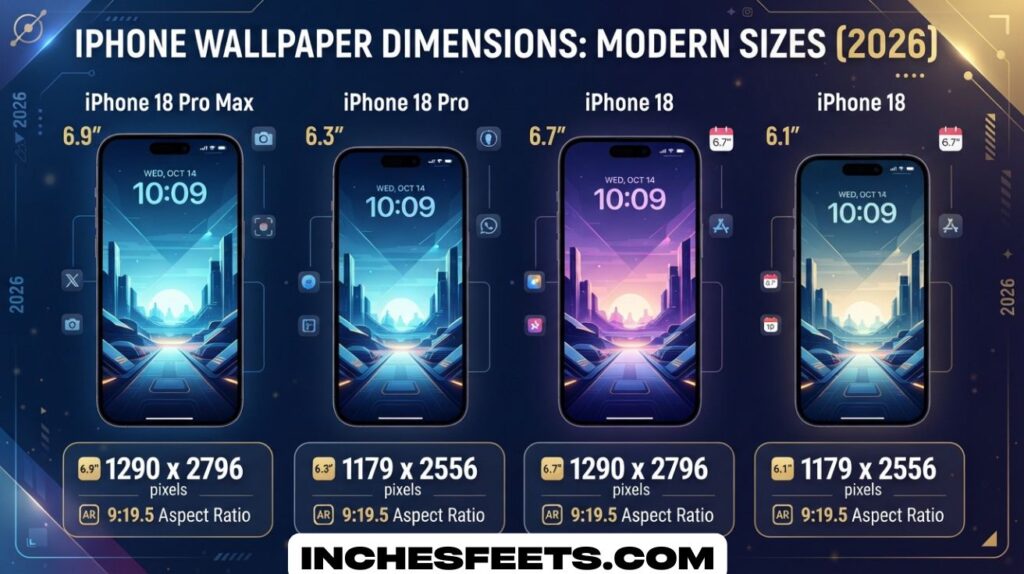
Many users set a wallpaper without thinking about the iPhone wallpaper size, but using the wrong dimensions often leads to blurry or cropped images. Modern iPhones have very detailed screens, so wallpapers need to match the iPhone screen resolution to look sharp. When the image resolution fits the display perfectly, the wallpaper appears clear and balanced.
Another reason the correct size matters is the difference between the iPhone lock screen wallpaper size and the iPhone home screen wallpaper size. Even though both screens share the same resolution, the layout of widgets and icons can change how the image appears. Using the correct wallpaper size for iPhone ensures both screens look clean and visually pleasing.
See Also : 10 Grams – 22 Everyday Things That Weigh 10g
Understanding Apple iPhone Screen Size Pixels
The Apple iPhone screen size pixels measurement describes how many pixels appear across the screen horizontally and vertically. This number determines how detailed the display is and also defines the ideal wallpaper resolution for iPhone devices. Higher pixel counts allow images to appear sharper and more detailed on the display.
Modern iPhones use very high-density displays, often exceeding 450 pixels per inch. Because of this, wallpapers must have a strong retina display wallpaper resolution to avoid looking grainy. When the wallpaper matches the iPhone display resolution, every pixel aligns properly, producing a clear and professional-looking background.
The Importance of High Resolution iPhone Wallpapers
Using a high resolution iPhone wallpaper is one of the best ways to improve the visual appearance of your phone. Images with higher resolution contain more pixel detail, which means they look sharper on modern smartphone displays. A low-resolution image may appear stretched or blurry on a high-end iPhone screen.
High-quality wallpapers are especially important for users who enjoy photography or graphic designs. A good HD wallpaper for iPhone maintains color depth and image clarity even when zoomed or cropped. Many users also prefer 4K iPhone wallpapers because they offer extremely sharp details that match modern display technology.
iPhone Wallpaper Aspect Ratio Explained
Aspect ratio is the relationship between the width and height of a screen. Modern iPhones use the iPhone wallpaper aspect ratio 19.5:9, which means the screen is taller compared to older smartphones. Understanding this ratio helps when designing wallpapers or cropping photos to fit the display.
When a wallpaper does not match the iPhone wallpaper aspect ratio, it may appear stretched or cropped. This is why many designers create wallpapers specifically for the vertical wallpaper size for iPhone. Matching the ratio ensures the image fills the screen properly without losing important visual elements.
Best Wallpaper Dimensions for Modern Smartphones
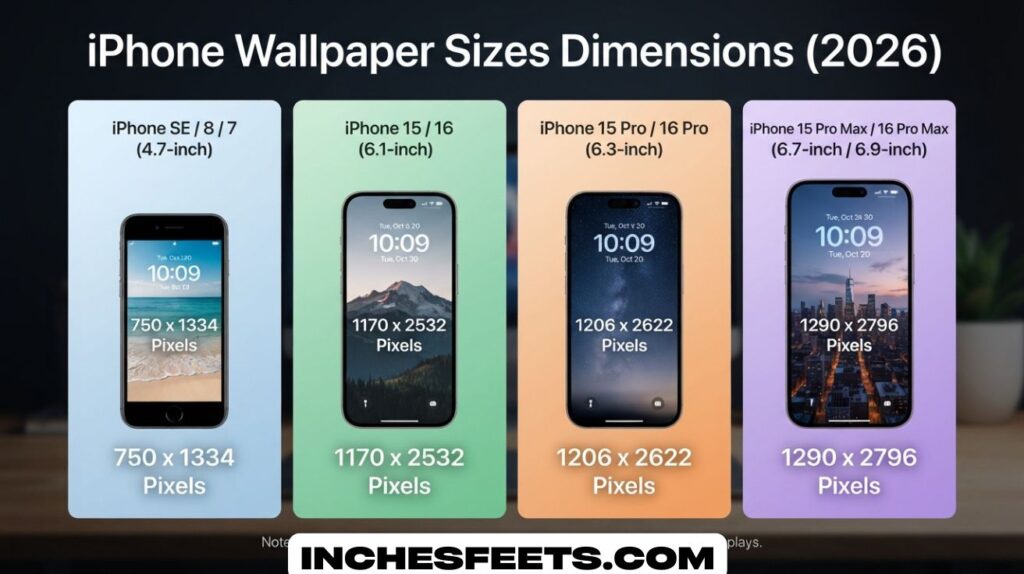
Smartphones today use taller and sharper displays than older devices. Because of this, the best wallpaper dimensions for smartphones are usually large vertical images that match the device resolution. A well-sized wallpaper fills the entire display without losing quality or detail.
Using a reliable smartphone wallpaper size chart helps users find the perfect dimensions for their device. These charts often list the iPhone wallpaper pixel size for different models, making it easier to download or create wallpapers that fit perfectly on modern screens.
Mobile Wallpaper Resolution Guide for Beginners
A mobile wallpaper resolution guide helps users understand how to choose images that match their device screen. Many beginners download wallpapers from the internet without checking resolution, which often results in blurry images on the screen.
Following a proper phone wallpaper resolution guide ensures that the image quality matches the phone display. By checking the correct lock screen wallpaper dimensions before downloading a wallpaper, users can avoid distortion and enjoy a clearer, more professional background.
Wallpaper Size for iPhone 16 and Newer Models
The wallpaper size for iPhone 16 models is slightly larger than previous versions because the screens have grown in size and resolution. These devices feature extremely detailed displays that require high-quality wallpapers to fully showcase their visual capabilities.
Users who want the best results should use wallpapers that match the exact Apple iPhone screen size pixels for their device. Matching the resolution ensures that both the home screen and lock screen appear sharp and vibrant without unwanted cropping or scaling.
iPhone 15 and iPhone 14 Wallpaper Resolution Guide
The iPhone 15 wallpaper dimensions and iPhone 14 wallpaper resolution are still widely used because these models remain very popular. Both series feature tall displays and high pixel density, which means wallpapers must be designed carefully to maintain image clarity.
Earlier models like the iPhone 13 wallpaper size follow a similar display ratio, making it easier to reuse wallpapers between devices. When users understand the proper iPhone wallpaper pixel size, they can download or design wallpapers that work perfectly across multiple iPhone generations.
FAQs
Should I use 4:3 or 16:9 on iPhone?
Modern iPhones use a taller 19.5:9 screen ratio, so 4:3 or 16:9 wallpapers usually don’t fit perfectly.
Using these ratios can cause cropping or zooming on the screen.
Is 16:9 wallpaper size?
Yes, 16:9 is a common wallpaper ratio used on TVs and older smartphones.
However, most new iPhones use a taller display, so 16:9 may not fully fit the screen.
What size is the iPhone 14 Pro wallpaper?
The wallpaper size for the iPhone 14 Pro is 1179 × 2556 pixels.
This matches the device’s screen resolution for a clear and sharp wallpaper.
What’s the wallpaper size for iPhone 17?
The iPhone 17 has not been officially released yet, so the exact wallpaper size is unknown.
It will likely be similar to recent models, around 1179 × 2556 pixels or higher.
Conclusion
Correct iPhone Wallpaper Sizes Dimensions help your phone screen look clean and sharp. Each iPhone model uses a different screen resolution, so the wallpaper must match that size. When the image fits the screen resolution, the wallpaper looks clear and bright. A wrong size can make the picture look blurry or zoomed in. Modern iPhones use tall screens with high pixel density, so high-quality wallpapers give the best results.
You should always choose images that match the screen resolution of your device. Large images like HD or 4K wallpapers keep strong detail on modern displays. The right iPhone Wallpaper Sizes Dimensions improve both the lock screen and home screen appearance. A good wallpaper adds style and makes the phone feel more personal. When you follow the correct dimensions, your iPhone display looks neat, sharp, and professional.